In order to connect to Teamspeak you need the password to the server, this password is given to selected people only.
Step One
Download the Teamspeak software and install it, after that is done run the program.
Download Teamspeak
Step Two
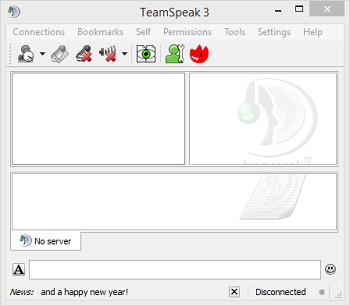
Once the program opens you should see something similar to the following picture.
Step Three
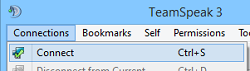
Click on "Connections" followed by "Connect".
Step Four
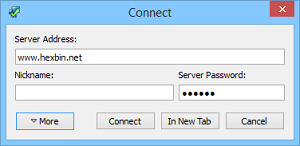
A new window will open up, in it fill the "Server Adress:" with "www.hexbin.net", in the "Nickname:" choose one that you like finaly in the "Server Password:" fill it with "CHALON" without the quotations marks.
If you have read this far you have now become one of the selected few people with the password to access our Teamspeak.
Step Five
Press the connect button and that's it!